Image Map
Showing posts with label Technology. Show all posts

Thursday, June 25, 2015

Computer Center Ideas

Each afternoon during summer school my students do semi-independent centers. We have two center blocks that are 25 minutes each. In order to keep the students engaged and excited about coming to summer school, I have included our computer center into the rotation.

So what are my students doing on the computers?

Twice a week during our morning math groups in summer school they get to use Front Row on the computers. Front Row is FREE differentiated math instruction for the web and on the iPad. As a teacher, you sign up for an account and you set up your class roster. You can select the math domain you want the students to work in. There are even diagnostic tests and printable worksheets for the domains. It is working well for my Deaf/Hard of Hearing students. Since they cannot hear the audio for the questions, I do have to read some of the questions for my lower readers. But overall, the program is a great addition to supplement our math instruction.

Typing is a huge focus for us. My students need to be 21st century learners, which means being able to feel comfortable on the computers and being able to type. That new SBAC assessment has really increased the need for digital literacy and the ability to actually type.  I like Typing.com.  It's a FREE online typing program that we can use both in our classroom and/or in the computer lab. We try to get in at least 30 minutes of typing practice each week during the regular school year.

I have the student's login information hanging near the computers for the students to use during centers. Then I also have cards with other educational websites the students can visit if it is a free choice day for the computer center. 

Here are some web based sites/games that my students really like:

Math
Language Arts
Educational sites/games
What are some of your favorite educational web based games your students enjoy?

Monday, July 14, 2014

Monday Made It- July 14th

http://4thgradefrolics.blogspot.com/
This summer is flying by! Why does the school year drag while the summer flies? Since it's pretty early in the summer, I haven't really focused on school yet. But I was able to get one little project done. So I am linking up with 4th Grade Frolics for her Monday Made It series.

I have been struggling with storing my iPads at school. I only have two of them and usually they are stacked up on the computer desk and end up under a pile of paperwork. The cords are everywhere. I'm pretty limited where I can store them because of outlets and those darn short cords. These plastic drawers are the perfect solution to my problem. I can store the first two iPads in the drawers. The last drawer I plan on creating a few QR code activities for fast finishers.

I had my husband drill holes in the back of the drawers so the cords can plug into the iPads and charge while they are in the drawer. Now my students won't have to go hunting for the iPads under a pile of papers! Quick and easy solution for iPad storage.

Thursday, July 3, 2014

Tech Storage in Small Spaces

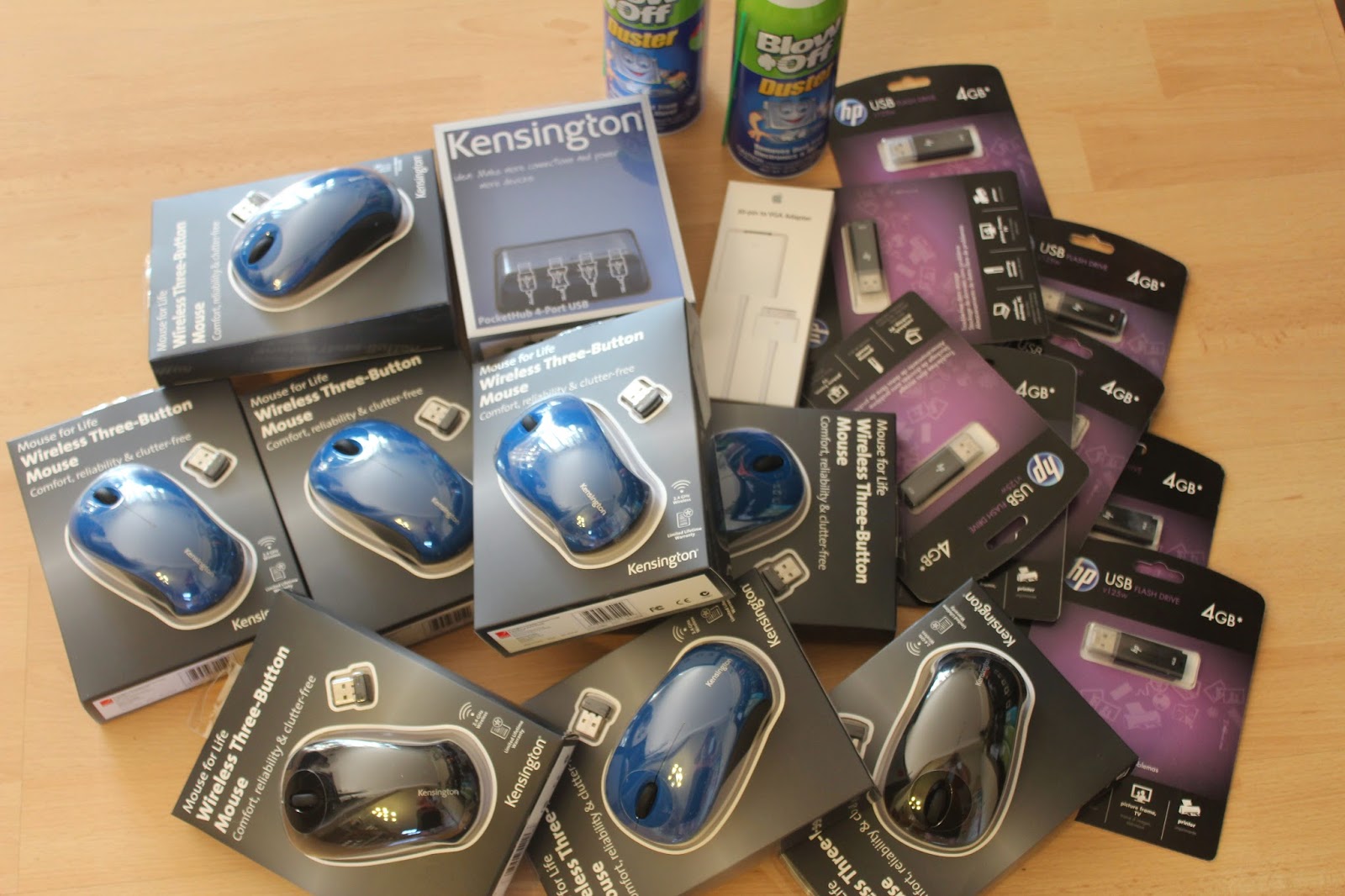
I was very fortunate to get a small technology grant this past school year. I spent the money on supplemental tech stuff like iPad covers/keyboards, an iPad adapter to hook to my Elmo, external USB port, wireless mice for all the laptops, flashdrives for each student, computer cleaning supplies, and supplies for our Computer Lapbooks. It was like Christmas!

Also, due to the extra funding from the change to SBAC I also got four new laptops for my classroom. This meant with the two older ones, I had enough for each student in my classroom. And a brand spankin' new one for this teacher! That worked out really well for our Friday tech skills lessons and for completing our Computer Lapbooks project

But with the new addition of four laptops, I had no idea how to store all of the laptops. I don't have enough space to set them all up on a table, nor for a tech cart. Plus, I needed to store them next to a power strip for charging. Pretty much, every available inch is used in my classroom.

So I looked around, assessed what I had and decided to move some old binders off of the top of this filing cabinet and utilize the power strip that was already there. I broke out my old Cricut (I am lusting after a new Silhouette Cameo, but that will never happen) and cut some vinyl numbers to label each of the computers.  If you haven't used vinyl in your classroom, you should! It adheres to nearly anything and peels off without any residue. I have used it on my white board and love it!

The laptops are numbered 1-5 and the teacher computer has a K.  This made it easy to do a tech check out poster. The students come up, pick a computer, then move their magnet onto the tech they have chosen. This lets me see who has what, and every week it's a random draw of who gets to select first and so on. So sometimes you get a new laptop and other times you don't. The magnets are flat ones I found at Target. I printed out the student's initials then used a circle punch to cut them out. I adhered them to the magnets using my Xyron Creative Station with permanent adhesive. This system worked really well this school year and I will keep it for next year.

For the storage of the laptops, I needed to use the space I had available. So I re-purposed this sorter that I already had. I used more vinyl numbers to label each section to match the computers. That makes it easy for the students to return the computers to the right place. The computers slide right in and sit upright. It's perfect for the small space I have. I used an old basket to hold all of the power cords. I made sure to label the cords with my handy dandy label maker so the students are then also responsible for plugging them back in.

To be honest, the cords drive me nuts. I wish they went on the inside and didn't hang out all over the place. (In case you don't know yet... I'm pretty type-A and everything has to be neat and tidy.) But it didn't work out that way.

Now the laptops are stored neatly out of the way when they are not being used. Re-purposing and re-evaluating what you already have available saves time and money!

Sunday, February 9, 2014

Five....

I'm linking up with Doodle Bug's Five for Friday linky party. I'm a bit late to the party... but better late than never, right? Here are a few random things from my classroom for the last two weeks.

We spent some time this week talking about kindness. It was a much needed review of what it looks like to be kind both at school and and home. The kids then created these Be Kind Mobiles to hang in the classroom. It was the perfect craftivity on kindness.


We finished up our Arthur's Computer Disaster unit. We've been talking about all things tech related, so this email to a character fit well.


My students have a new feelings binder thanks to our school psychologist. My students are learning the vocabulary for the feeling words and being able to tell why they are feeling the way they are. This is really tough for a few of my kids.

We are almost finished with our All About Computers Lapbooks. My student have really been enjoying learning about the computer. These computer skills are so important for this generation. Not very many of my students have computers at home, so they have to learn these skills somewhere. (Especially prior to our new SBAC test this spring that's all on the computer!)

Our Friday afternoon tech skills are going well. For the past two weeks the students have been practicing drag and drop, highlight and copy/paste skills. I created a few activities in a Word doc using the new computer vocabulary we've been learning. Then I saved them to the desktop on each laptop. The first week we went through the activities together step by step, one at a time. This week the students opened up the doc and showed me what they have learned so far. We still have plenty of work to do.

So that wraps up the past two weeks in my classroom. I don't know how I blinked and it's already February. Tuesday is the 100th day of school. Crazy. Not to mention two three day weekends in a row! I could totally get used to that schedule!

http://doodlebugsteaching.blogspot.com/2014/02/five-for-friday-linky-party-february-7th.html


Monday, October 14, 2013

Monday Made It- QR Codes

I finally did it! I tried a QR code in my classroom that I made! I used this site to create my QR codes. Then I used these little frames from IKEA to display the codes. Each student has a frame with their 4 sight words for the week (there are two on the back side of the frame was well). I print out the QR codes and tape them in place so I can reuse it with new sight words each week.

Anything that involves technology is exciting to the kids! First they scan their QR code with the app i-nigma. I've tried several QR code readers, but this seems to be the easiest for the kids to use and navigate. I just wish that the font was larger when the text pops up.

 Then they record their sight word on their recording page in the corresponding number.

The last step is cutting apart their sheet with their signs. We photo copy the signs and the students need to match up the words and signs. 

This is great practice for my students and they love this new center!